Case Study: Resistance 2 Graphics Tools and Pipeline
kimsama님 블로그에서 트랙백.
번역은 수준이 워낙 허접이라 남에게 보여주지 않는데,
파이프라인 내용은 언제나 관심있는 내용이라서 번역 한번 해봤습니다.
틀린부분이 다소 있을 것 같은데 -_-a 지적해주세요.
The Pipeline
Insomniac Games uses an original art pipeline for getting assets into the game. The big picture of the pipeline is that the artist moves models to a technical artist and then on to the animator.
The artist team at Insomniac altered its pipeline flow for Resistance 2. The first step of the process was to rough and form the models. During this step, the modelers quickly created rough geometry with a rough rig. The goal of these roughs was to create something quick without any details. The roughs only needed to show the most basic shape of the character.
These rough models were then handed over to the gameplay group who used the model to test out the game engine. The results were then used to create the game’s AI.
The roughs typically involved about a half a day of modeling time per character. Using these quick techniques, Samuel was able to complete most of the roughs used in the game in about a month.
After a valid gameplay test, the working model dimensions were passed back to the artists who would start the final pass. Most final pass models would be complete with models and textures in about 3 weeks per character. Some creatures, such as the large Leviathan, took around 6 weeks. There were 6 character artists working simultaneously on the project.
Because of the advanced next-generation consoles, the team didn’t need to prepare a separate set of assets for creating the game cinematics. All cut scenes were created using game assets, but high and low-res models of each character were created in order to produce normal maps.
All the modeling was completed using Maya, which worked extremely well with their pipeline. Samuel was actually a Max user, but found it more convenient to use Maya with their pipeline. It took him about 2 months to become comfortable with Maya.
Textures and normal maps were created using ZBrush and Photoshop was used for final touch-up work and for any texture tweaking that was required.
Insomniac Games 는 게임 데이터를 만들기 위한 오리지널 아트 파이프라인을 사용했습니다. 파이프라인의 큰 줄기는 아티스트가 테크니컬 아티스트와 에니메이터에게 모델을 넘겨주는 것이지요.
Insomniac Games 의 아티스트팀은 레지스탕스2의 파이프라인 플로우를 개조했습니다.
첫 번째 프로세스 스템은 러프한 모델링을 만드는 것이었죠. 이 과정에서, 모델은 매우 러프하게 모델링되고 리깅되었습니다. 이 러프 모델의 목표는 디테일 없이 빨리 만드는 것이었습니다. 이 러프는 단지 캐릭터의 기본 외양만 필요하였습니다.
이 러프 모델은 게임 엔진에서 모델을 테스트 하기 위한 게임 플레이 그룹이 사용하였습니다. 결과적으로 게임 인공지능을 위해 사용되었죠.
이 러프 모델은 반나절 정도에 뚝딱 만들어졌죠. 이 빠른 방법으로, 사무엘은 거의 모든 러프한 캐릭터를 한 달 내에 만들 수 있었다고 합니다.
게임 테스트가 잘 끝나면, 작업 모델은 마지막 과정을 위한 아티스트에게 전해집니다.
많은 경우 마지막으로 텍스쳐까지 완성된 캐릭터는 3주 정도 걸렸지요.
커다란 레비아탄 같은 경우는 6주가량 걸렸구요. 6명의 캐릭터 아티스트들이 동시에 일했습니다.
차세대 콘솔이기 때문에, 팀은 게임 동영상을 위한 다른 모델을 만들 필요는 없었죠. 모든 게임 영상은 게임 데이터로 만들어 졌습니다. 그렇지만 노말맵을 위해 하이와 로우 폴리곤 모델을 각각 만들긴 했습니다.
모든 모델은 마야를 사용해 만들어 졌습니다. 이 파이프라인을 위해선 최적이었죠.
사무엘은 원래 맥스 유저였지만, 마야가 이 파이프라인에서 더 적격이라는것을 알아냈습니다.
마야를 편하게 사용하기까지는 2개월이 걸렸지요.
텍스쳐와 노말맵은 지브러쉬와 세부 수정을 위해 포토샵을 사용했습니다.
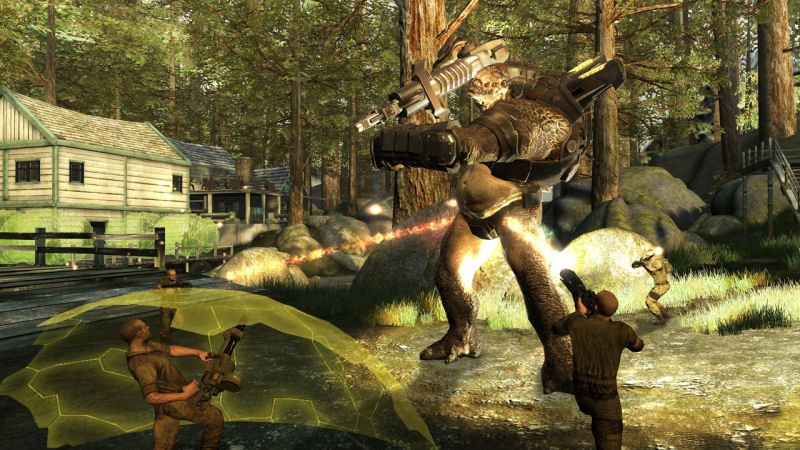
Resistance 2 is a trademark of Sony Computer Entertainment America Inc. Developed by Insomniac Games. ©2008 Sony Computer Entertainment America Inc.
The animation team used a mixture of motion capture and hand keying. The animator’s used motion capture for most of the human action, but most of the facial animations are hand-keyed. The Hybrid and Grim alien’s actions were also motion captured, but the Spinners and most of the bosses were hand-keyed. Insomniac used two different motion capture studios including Sony San Diego and the House of Moves. The team found that the experience at Sony San Diego was more personable.
The animation team found that using MotionBuilder was a huge time-saver. “By switching to MotionBuilder, the technical artists were able to work with multiple rigs at once,” said Samuel. This enabled technical artists to verify the model’s motions in real-time instead of one at a time.
Of all the characters, the humans posed some of the greatest challenges. In particular, the lip-synching took some time to get right. It was accomplished using a bone-based system along with some blend shapes.
애니메이션 팀은 모션캡쳐와 수작업 키를 병행했습니다.
애니메이터는 거의 모든 사람 캐릭터에 모션 캡쳐를 사용했지만, 표정 에니메이션은 수작업으로 작업했습니다.
하이브리드나 그림 에일리언의 동작은 역시 모션캡쳐를 사용했지만,
스피너나 거의 모든 보스 캐릭터들은 수작업으로 작업되었습니다.
Insomniac 팀은 Sony San Diego 와 House of Moves 두 개의 모션캡쳐 스튜디오를 사용했는데 소니 산디아고의 경험이 보다 좋았다고 합니다.
애니메이션 팀은 모션빌더를 사용하는게 크게 시간절약을 한다는 것을 찾아냈습니다.
“모션빌더를 사용하면 테크니컬 아티스트가 다수의 리깅을 한 번에 처리할 수 있었어요” 라고 사무엘이 말했습니다.
이것은 테크니컬 아티스트가 모델의 애니메이션은 한번에 하나가 아니라 리얼 타임으로 검증할 수 있었지요.
모든 캐릭터에서 인간 동작은 큰 도전이기도 했지요. 특별히, 립싱크는 잘 되기 위해 시간을 좀 들였습니다.
이것은 blend shapes를 따라서 만들어진 완벽한 bone-based 시스템이었지요.